


GfxRobotection AI software by GfxMaker is a specialized defensive technology designed to protect digital artwork from unauthorized AI training, scraping, and stylistic replication. Developed by GfxMaker, a brand synonymous with high-end graphic design tools, this software uses advanced “cloaking” and “poisoning” algorithms to disrupt the way AI models interpret and learn from creative files. Unlike traditional watermarks, GfxRobotection works at the pixel level, making the art appear perfect to the human eye while rendering it unusable or misleading for AI scrapers looking to mimic an artist’s unique style.
To use GfxRobotection AI software effectively, designers integrate the tool directly into their GfxMaker creative workflow or use the standalone suite to process batches of images before publishing them online. The software acts as a proactive barrier, embedding invisible perturbations that “shield” the intellectual property from the generative AI tools that currently dominate the internet. By focusing on “Robotection,” GfxMaker has transitioned from a brand that simply helps you create art to one that ensures you actually own and control the future of that art in a world of automated scraping.
The GfxMaker Legacy: Why “Robotection” Matters Now
For years, GfxMaker has been a staple in the toolkit of professional designers, known for its sleek UI and powerful vector engines. However, as generative AI began to cannibalize the portfolios of the very people who built the industry, the brand pivoted. GfxMaker recognized that creation without protection is a losing game in 2026.
GfxRobotection is the flagship product of this new philosophy. It represents a shift from passive “Copyright” notices to active “Technical Defense.” The brand has built this software to be the “antivirus for the creative soul,” ensuring that when you post a masterpiece, it doesn’t become the free training data for your future competitor.
Core Defensive Capabilities
How GfxRobotection Revolutionizes the Workflow
The beauty of GfxMaker’s approach is that they haven’t made protection a chore. In the past, “cloaking” art was a slow, resource-heavy process that required high-end GPUs and technical expertise. GfxRobotection integrates this into the “Export” phase of the design process.
Seamless Integration
If you are already using GfxMaker’s design suite, GfxRobotection appears as a simple toggle in the export menu. You can choose the “Protection Strength”—ranging from “Low” (minimal file size impact) to “Maximum Security” (intended for high-stakes portfolio pieces).
The Batch Shielding Advantage
For agencies with thousands of legacy assets, GfxMaker offers a batch-processing tool. You can drop a folder of five years’ worth of work into the software, and it will systematically apply Robotection layers to every file, scrubbing metadata and hardening the images for the modern web.
Technical Deep Dive: “Poisoning” vs. “Watermarking”
It is a common mistake to think that GfxRobotection is just a fancy watermark. Watermarks can be removed by AI in seconds; Robotection cannot.
Invisible Perturbations The software makes minute changes to the mathematical representation of the image. While a human sees a sunset, an AI model might “see” a bowl of fruit or a chaotic mess of static. This is often referred to as “Data Poisoning.” If an AI company scrapes your protected image, it actually damages the quality of their model, making your art “toxic” to the machine but beautiful to the client.
Protection vs. Performance
The GfxMaker Ecosystem: A Holistic Approach
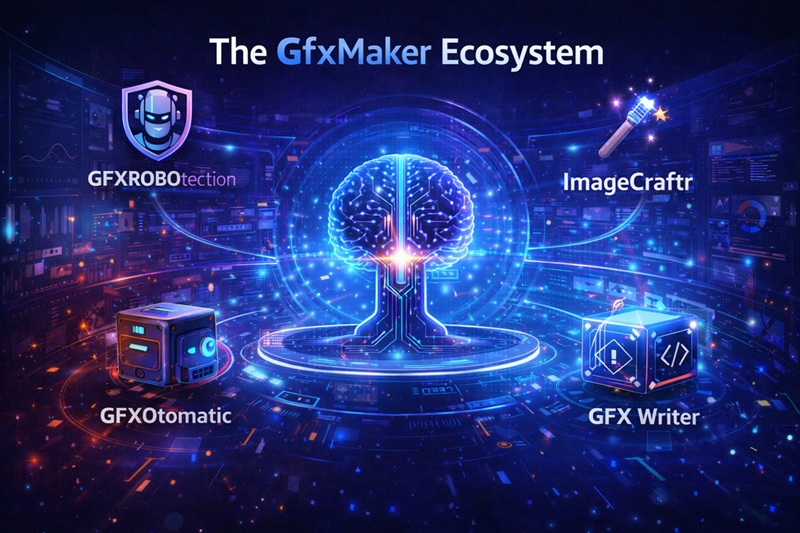
GfxMaker isn’t just selling a single piece of software; they are building a community of protected creators. When you use GfxRobotection, you aren’t just protecting yourself—you are contributing to a global network of “Robotection Signatures.”
The Global Defense Network
GfxMaker uses a decentralized ledger to track where protected images appear. If a specific AI scraper is found to be ignoring Robotection protocols, the GfxMaker community is alerted. This collective intelligence allows designers to blacklist specific platforms or scrapers before their art is even touched.
Subscription and Accessibility
GfxMaker has opted for a “Creator-First” pricing model. While many AI tools are prohibitively expensive, GfxRobotection is included in the standard GfxMaker Pro suite. This ensures that even freelance artists have access to the same level of defense as major Hollywood studios.
Who Needs GfxRobotection AI Software?
The target audience for GfxMaker has expanded. It is no longer just about the “hardcore” digital painter; it is about anyone whose livelihood depends on digital assets.
Freelance Illustrators and Concept Artists
In an era where “In the style of [Artist Name]” is a common prompt, these individuals are the most vulnerable. GfxRobotection’s Style-Lock feature is specifically designed to make these prompts yield garbled, low-quality results, effectively forcing clients back to the original human creator.
Brand and Logo Designers
Corporate identity is a valuable asset. GfxMaker ensures that brand logos and unique vector assets aren’t repurposed into “generic” AI-generated branding kits. By hardening these files, agencies can guarantee their clients that their brand identity remains exclusive and un-mimicked.
Educational Institutions
Art schools are now using GfxRobotection to protect student portfolios. It allows students to share their growth online without fearing that their early experiments will be used to train models that might eventually replace their entry-level job opportunities.
Ethics and the “Poison” Debate
There is significant discussion regarding whether “poisoning” AI models is ethical. GfxMaker’s stance is clear: Consent is the foundation of ethics. The software doesn’t seek out AI models to destroy them; it simply defends a private digital property. If a model “eats” a poisoned image, it is because that model was scraping without permission. GfxMaker frames this as a “Digital Castle Doctrine”—you have the right to secure your home, and if someone breaks in and trips an alarm, the responsibility lies with the intruder.
Setting Up GfxRobotection: A Quick Guide
For those ready to start using GfxRobotection by GfxMaker, the setup is straightforward.
-
Installation: Download the GfxMaker Creative Cloud extension or the standalone desktop app.
-
Calibration: Use the “Auto-Calibrate” tool. This analyzes your specific art style and suggests the best protection level to mask your unique “stylistic fingerprints.”
-
The “Shield” Export: Instead of your usual
Save As, you will useShield & Export. This adds a few seconds to the processing time but ensures the file is encrypted. -
Verification: The software provides a “Protection Certificate” for each file, which you can include in your metadata to prove the image is Robotection-hardened.
The Future of Design in a Post-AI World
GfxMaker is betting that the future of design isn’t just about who can make the best art, but who can keep it. As AI models become more hungry for high-quality data, the value of “clean,” un-scraped art will skyrocket.
By using GfxRobotection AI software, you are effectively “opting out” of the non-consensual data economy. You are telling the machines that your creativity is not a public utility. As GfxMaker continues to update its algorithms to stay ahead of the latest scrapers, GfxRobotection will likely remain the most important tool in any artist’s arsenal for the foreseeable future.
Final Verdict: Is it Worth It?
If your work lives online, the answer is a definitive yes. The small investment in GfxRobotection by GfxMaker pays dividends in peace of mind. In 2026, being a creator means being a defender. GfxMaker has provided the armor; it’s up to the artists to wear it.
The digital landscape is changing, and the “Wild West” era of free scraping is coming to an end. Tools like GfxRobotection are leading the charge, ensuring that the human element of art remains exactly where it belongs: in the hands of the humans who made it.

